
Live Anime Shimeji Pets
Hydra Global Ltd.Personalization
4.71.00K Reviews
- Version
- 1.2.2
- Installs
- 1.00M
- Age Rating
- Everyone
Screenshots
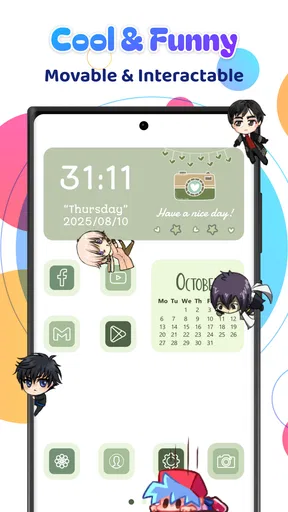
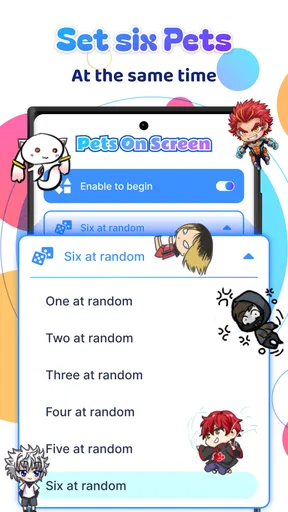
Our Review of Live Anime Shimeji Pets
 Analysis by Appyee
I decide whether a screen companion app is worth keeping by asking a practical question: does it make my phone feel more personal without getting in the way of using it? Live Anime Shimeji Pets takes a playful approach, placing small animated characters over the ordinary phone interface. The appeal is easy to understand, but this kind of personalization is most enjoyable when it suits your habits, not just your taste in anime.
That distinction matters. A character wandering around can make an unlocked screen feel cheerful, yet it may be distracting if you prefer a clean display or use your phone for focused work. I’d think about where and when I want the animation before installing any screen companion, then judge whether the novelty remains pleasant after the first few days.
What kind of personalization are you choosing?
Phone customization usually means changing a wallpaper, arranging icons, or applying a theme. Those options change the look of the screen but generally stay in the background. Shimeji-style characters are different: they move across the display, so the decoration becomes something you notice while you use the phone. That liveliness is the main reason to choose this style over a static image.
It also makes the choice more personal. Someone who likes a bit of visual company while checking messages may enjoy a small character appearing in their routine. Someone who wants their home screen to stay orderly may prefer a wallpaper or a restrained icon theme. I see this as a taste question, not a case where one approach is automatically better.
Who is likely to enjoy the daily novelty?
The app is aimed at personalization, and Hydra Global Ltd. has made a free download for people who want anime-inspired characters on screen. It has a 4.6 average from around 34,000 ratings, with more than 1 million installs. Those figures suggest it has found an audience, though they can’t tell you whether its particular style will suit your phone habits.
I’d especially consider it if you already enjoy anime art, like customizing your phone, or want a small visual pick-me-up during routine moments. It may also appeal to someone looking for a playful personal touch rather than a productivity tool or a new game. The content rating is Everyone, so its audience is broad; the practical question is whether animated companions are welcome on your screen.
A realistic use case is checking your phone during a quiet break: a character moving around can make that brief moment feel less plain without asking you to start a game or open a social feed. On the other hand, if you often keep your phone visible during meetings, classes, or focused study, you may want the display to remain calm. Even a cute animation can become visual noise when your attention needs to stay elsewhere.
Where the moving characters have an edge
When I first stumbled upon Live Anime Shimeji Pets, I was immediately drawn in by its promise of cute, interactive fun. After downloading and opening the app, I was greeted with a colorful and user-friendly interface. It was super easy to navigate, even for someone like me who's not exactly a tech wizard.
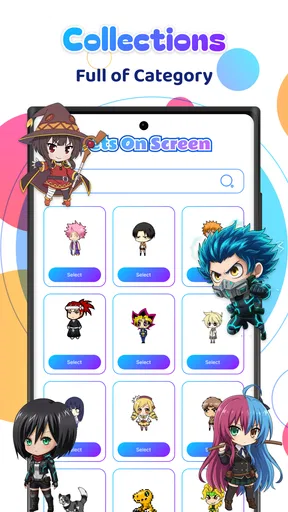
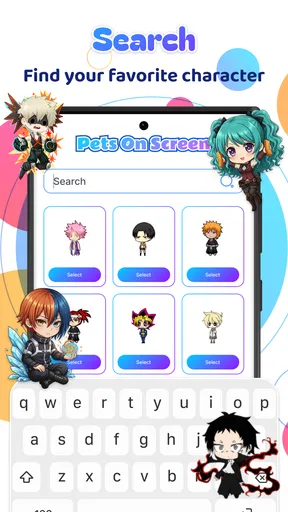
Right off the bat, the app offers a variety of shimeji characters. For those who might not know, shimeji are tiny, animated characters that move around your screen, interacting with each other and your icons. The selection ranges from popular anime figures to adorable original creations. It’s like having your very own little anime universe right on your phone!
Compared with a wallpaper, these characters provide movement rather than a fixed image. Compared with a full-screen game, the idea is lighter: the character is meant to accompany ordinary phone use, not replace it. That makes the app a better fit for someone who enjoys a small animation in the margins than for someone seeking a detailed game, a new messaging feature, or a complete redesign of the phone.
Personalizing without making the screen too busy
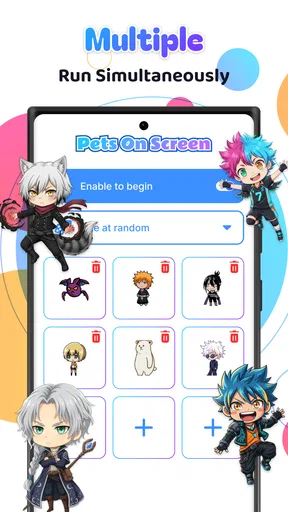
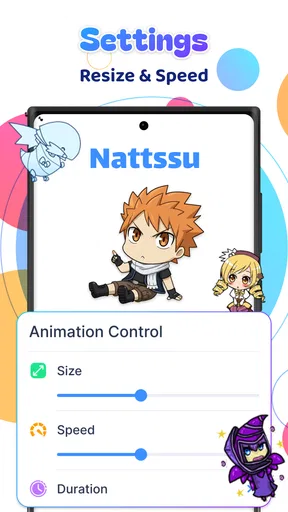
One of the standout features of this app is the level of customization it offers. You can choose which characters you want to appear, and even customize their behavior. Want them to sit quietly on the side of your screen? Done. Prefer them to leap around like they're on a sugar high? You got it. The ability to adjust their size and speed adds a nice touch, making the experience feel personal and unique.
A useful way to approach those controls is to start subtly. I’d first choose a character, make it small, and keep its movement restrained, then use the phone normally for a while. If it’s easy to ignore when you need to read or tap icons, there’s room to make the display livelier. This gradual setup is more comfortable than turning every animation option up at once and deciding too quickly that the whole idea is distracting.
The app also allows you to set schedules for when your shimeji appear, so they’re not always active if you need some distraction-free time. Honestly, it’s like having a little companion with you throughout the day, and I found myself smiling every time a character popped up to say hello.
Scheduling is particularly useful if your phone serves both as a personal screen and a work or study tool. I’d think about the times I actually enjoy seeing a character, then use the schedule to keep the effect out of periods when I want fewer visual interruptions. That approach gives the animation a place in the day instead of letting it compete for attention at every moment.
Performance, expectations, and everyday friction
Now, I know what you’re thinking—will this app drain my battery or slow down my phone? Surprisingly, the app is designed to be lightweight and doesn’t hog resources. I didn’t notice any significant battery drain or lag, which is a huge plus when considering apps that run in the background.
The developers have clearly put thought into the user experience. The app runs smoothly, and I didn’t encounter any bugs or crashes during my time using it. Plus, it doesn’t require any complicated setup. A few taps, and your phone is transformed into a playful anime playground.
Still, screen companions occupy a different place from ordinary static personalization: their activity is something you may notice repeatedly. If you find yourself watching the character instead of the content you opened your phone to see, reduce the movement or give the app a break. The best setup is not the most animated one; it is the one you can enjoy without having to manage it constantly.
Another sensible check is to use the phone as you normally would after setup. Try reading a longer message, opening the apps you reach for most, and navigating the home screen. That gives you a better sense of whether the character’s position and movement fit your habits than simply watching it in an empty screen. If the effect feels cluttered, a simpler theme or wallpaper may be the more satisfying choice.
Making a custom look, and knowing when to stop
One of my favorite aspects of the Live Anime Shimeji Pets app is the ability to add a personal touch. You can upload custom images to create your own unique shimeji. This feature opens up endless possibilities, from bringing your original characters to life to having your favorite fanart dance across your screen.
For those looking to express their creativity, this feature is a game-changer. It’s not just about watching characters move around; it’s about crafting a digital space that feels uniquely yours.
Custom images make the app more than a ready-made character picker for people who already have art they like. A practical tip is to begin with one image you know you want to see, rather than treating customization as a project that needs to be perfected. If choosing or preparing artwork starts to feel like work, the built-in character selection may be enough to make the phone feel personal.
There is also a useful distinction between enjoying a character and wanting it to dominate the screen. Customization can make a companion feel more like your own, but it doesn’t change the basic trade-off: moving artwork adds personality while also adding motion. I’d keep the custom look simple if I wanted it to remain pleasant during everyday use, especially on a phone I check frequently.
Free to try, with a paid layer to consider
The app is free to download, while in-app purchases range from $2.99 to $14.99 per item. I’d treat the free version as the sensible place to decide whether the moving-character format itself works for me. If the basic experience becomes part of my routine, then I could consider whether any paid item offers something I genuinely want; I wouldn’t spend just because extra options are available.
The current version is 1.0.6, and it runs on Android 7.0 or later. That makes the minimum system requirement straightforward to check before installing. The key decision is not only whether the phone can run it, but whether a persistent animated layer belongs in the way you use that phone.
Switching away is also simple in principle: if you decide you would rather have a still background or a conventional theme, you can return to that kind of personalization instead of keeping a character on screen. The bigger cost is attention, not learning a complicated new system. I’d give the app a short, ordinary trial—during the parts of the day when I’d actually see it—before deciding whether its novelty earns a permanent place.
My recommendation for the right kind of phone
In the end, Live Anime Shimeji Pets is more than just an app—it’s an experience. Whether you’re a seasoned anime fan or just dipping your toes into the world of Japanese animation, this app is sure to bring a smile to your face. Its blend of customization, performance, and pure fun makes it a must-try.
So, if you’re looking to add a touch of charm and whimsy to your phone, why not give it a whirl? After all, who wouldn’t want their favorite anime characters hanging out with them all day?
My recommendation is strongest for people who want their phone to feel expressive and don’t mind sharing screen space with a moving character. If you prefer minimalism, need a distraction-free display, or mainly want a static visual refresh, a wallpaper or theme is likely a better match. The app is free to try, rated Everyone, and backed by an average rating of 4.6, but the best test is whether its animation feels like a welcome detail in your own routine.
Verdict
Strengths of Live Anime Shimeji Pets
- Cute and interactive anime characters on your screen.
- Easy to customize with different Shimeji options.
- Lightweight app with minimal impact on device performance.
- Regular updates with new animations and features.
- Compatible with most Android devices.
Limitations of Live Anime Shimeji Pets
- Limited to anime-themed characters only.
- May distract users during work or study.
- In-app purchases for premium Shimejis.
- Occasional bugs with certain device models.
- Ads can be intrusive at times.
Similar Picks in This Category
View All
Microsoft SwiftKey AI Keyboard
SwiftKey4.3

Wallpapers
Google LLC4.1

Zedge™ Wallpapers & Ringtones
Zedge4.7

Yandex Browser with Alice AI
Direct Cursus Computer Systems Trading LLC4.3

Ringtone Maker:create ringtone
Big Bang Inc.4.7

Fonts Keyboard
Fonts Keyboard3.9
Frequently Asked Questions
What is Live Anime Shimeji Pets and how does it work?
Live Anime Shimeji Pets is an interactive application that allows users to have adorable anime characters, known as Shimeji, living on their device screens. These virtual pets interact with the user interface and provide a fun, animated experience. Users can customize their pets, choosing from a variety of characters and interactions, making each experience unique.
Is Live Anime Shimeji Pets safe for all ages?
Yes, Live Anime Shimeji Pets is designed to be family-friendly and suitable for all ages. The app features cute and playful animations that appeal to both younger users and adults. However, parents should always monitor app interactions for younger children to ensure a safe and enjoyable experience.
Does Live Anime Shimeji Pets consume a lot of battery or system resources?
Live Anime Shimeji Pets is optimized to minimize battery and resource usage. While running interactive animations, it may slightly increase battery consumption, especially if multiple pets are active. Users can manage resource usage by adjusting the number of pets or limiting their activity through the app settings.
Can I customize the Shimeji characters in Live Anime Shimeji Pets?
Yes, customization is a key feature of Live Anime Shimeji Pets. Users can select from a wide range of characters, each with unique animations and interactions. The app also offers personalization options for the characters' appearance and behavior, allowing users to tailor their virtual pets to their preferences.
Is an internet connection required to use Live Anime Shimeji Pets?
Live Anime Shimeji Pets primarily functions offline once downloaded. However, an internet connection is needed for initial download and to access updates or additional content. Online connectivity might also be required for specific features, such as syncing data or downloading new character packs.
